|
Size: 1440
Comment:
|
Size: 571
Comment:
|
| Deletions are marked like this. | Additions are marked like this. |
| Line 1: | Line 1: |
| Describe TkSurferGuide/TkSurferWorkingWithData/TkSurferPatch here. | ||Up to TkSurferGuide||Back to [:../TkSurferTimeCourse: TkSurferTimeCourse]||Continue to [:../TkSurferLabel: TkSurferLabel]|| |
| Line 3: | Line 3: |
| '''Loading Patches''' ''Use'' theFile->Patch->Load Patch... item to load a patch file. |
= Patch = |
| Line 6: | Line 5: |
| '''Saving Patches''' ''Use'' the File->Patch->Save Patch command to overwrite the original file, or File->Patch->Save Patch As... to save a new patch file in a new location. |
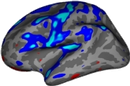
A patch is a saved section of flattened surface. Viewing patches switches the view to a flat 2D mode in which some of the controls don't work.= |
| Line 9: | Line 7: |
| == Loading Patches == | |
| Line 10: | Line 9: |
| Use the '''File->Patch->Load Patch...''' item to load a patch file. | |
| Line 11: | Line 11: |
| '''Cutting the Occiput Surface''' | == Saving Patches == |
| Line 13: | Line 13: |
| ''The occiput patch represents the occipital pole with a cut down the calcarine fissure. This cortical patch is particularly useful for displaying the results of visual experiments.'' 0. Select Make Occip Surface Cuts from the Subject Tools menu in csurf: attachment:fig1.jpg 1. Make calcarine sulcus relaxation cut. · Select points (left-click) along the calcarine fissure beginning at the occipital pole and moving anteriorly. · Open-line cut with CUTLINE (surfer tools). attachment:fig2.jpg 2. Specify cutting plane. · Select three points (labeled 1, 2, and 3 below) to define the cutting plane, and a fourth point (labeled 4 below) to specify which portion of the surface to keep (left-click). attachment:fig3.jpg 3. Make the planar cut. · CUTPLANE button. attachment:fig4.jpg 4. Save patch. · Specify the patch name in the patch field and press WRITE. The default names for the occiput cortical surfaces are: rh.occip.patch.3d lh.occip.patch.3d |
Use the '''File->Patch->Save Patch''' command to overwrite the original file, or '''File->Patch->Save Patch As...''' to save a new patch file in a new location. |
Up to TkSurferGuide |
Back to [:../TkSurferTimeCourse: TkSurferTimeCourse] |
Continue to [:../TkSurferLabel: TkSurferLabel] |
Patch
A patch is a saved section of flattened surface. Viewing patches switches the view to a flat 2D mode in which some of the controls don't work.=
Loading Patches
Use the File->Patch->Load Patch... item to load a patch file.
Saving Patches
Use the File->Patch->Save Patch command to overwrite the original file, or File->Patch->Save Patch As... to save a new patch file in a new location.