|
Size: 332
Comment:
|
Size: 1595
Comment:
|
| Deletions are marked like this. | Additions are marked like this. |
| Line 1: | Line 1: |
| == FreeSurfer VitrualBox VM Host System Requirements == '''Summary of Requirements:'''<<BR>> Tested running on hosts: Windows 10, Mac OS 10.15 with VirtualBox 6.X <<BR>> Host RAM: 8G - 16GB RAM<<BR>> Host Graphics card: 3D graphics card with its own graphics memory & accelerated OpenGL drivers<<BR>> A working network connection |
== FreeSurfer VitrualBox VM Image == '''System Requirements:'''<<BR>> Tested running on hosts: Windows 10, Mac OS 11.6 (Intel Mac) with VirtualBox 6.1.30. <<BR>> 12-16 GB of free RAM for the VM apart from the RAM already in use by the host OS and running applications. <<BR>> Host Graphics card: 3D graphics card with its own graphics memory & accelerated OpenGL drivers. <<BR>> Host Disk Space: ~8G for virtual image download (compressed *.ova file), ~30G for expanded VM image. <<BR>> Host: A working network connection. '''Suggested User Background:'''<<BR>> Some familiarity with downloading files through a browser, e.g., firefox, or using commands such as wget, curl from the linux terminal. <<BR>> Some familiarity with the linux terminal running bash shell including removing, copying, editing files and setting/unsetting environment variables. <<BR>> Some familiarity with simple bash commands/scripting as found in the shell initialization file. '''1st time install of VirtualBox on Windows OS:''' {{attachment:Vbox_Windows_install.pdf}} '''1st time install of VirtualBox on Mac OS:''' {{attachment:Vbox_MacOS_install.pdf}} '''Setup and run the virtual image:''' <<BR>> Note that the GUI images are taken from the VirtualBox GUI as pictured on the MacOS host, but the menu options are the same for Windows and Linux hosts. {{attachment:Vbox_load_image.pdf}} Once the VM starts and you have added you Freesurfer license file, you can start a terminal and it should come up with the environment set to run the 7.2.0 release. {{attachment:Ubuntu_VM_720.png}} |
FreeSurfer VitrualBox VM Image
System Requirements:
Tested running on hosts: Windows 10, Mac OS 11.6 (Intel Mac) with VirtualBox 6.1.30.
12-16 GB of free RAM for the VM apart from the RAM already in use by the host OS and running applications.
Host Graphics card: 3D graphics card with its own graphics memory & accelerated OpenGL drivers.
Host Disk Space: ~8G for virtual image download (compressed *.ova file), ~30G for expanded VM image.
Host: A working network connection.
Suggested User Background:
Some familiarity with downloading files through a browser, e.g., firefox, or using commands such as wget, curl from the linux terminal.
Some familiarity with the linux terminal running bash shell including removing, copying, editing files and setting/unsetting environment variables.
Some familiarity with simple bash commands/scripting as found in the shell initialization file.
1st time install of VirtualBox on Windows OS:
1st time install of VirtualBox on Mac OS:
Setup and run the virtual image:
Note that the GUI images are taken from the VirtualBox GUI as pictured on the MacOS host, but the menu options are the same for Windows and Linux hosts.
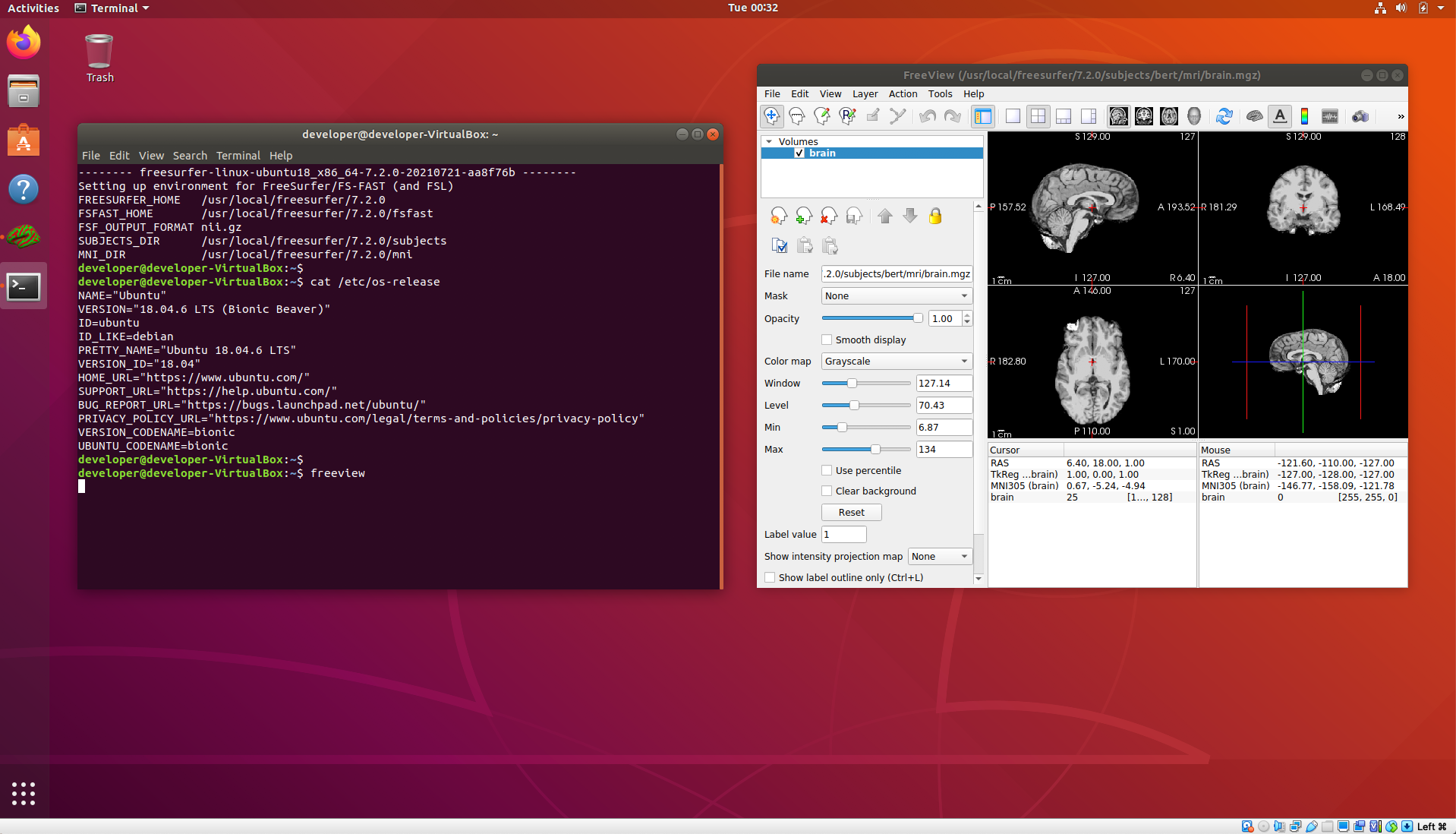
Once the VM starts and you have added you Freesurfer license file, you can start a terminal and it should come up with the environment set to run the 7.2.0 release.