|
Size: 1025
Comment:
|
Size: 1113
Comment:
|
| Deletions are marked like this. | Additions are marked like this. |
| Line 21: | Line 21: |
| * Once you are logged into the website, on the top bar select Download -> Image Collections. Once on the Image Collections page, select Advanced Search. This will bring you to the location where you can select parameters for the data you wish to download. | * Once you are logged into the website, on the top bar select Download -> Image Collections. {{attachment:ADNI_imageCollection.png}} * Once on the Image Collections page, select Advanced Search. This will bring you to the location where you can select parameters for the data you wish to download. {{attachment:ADNI_advancedDownload.png}} |
See also AdniReconNotes
ADNI Download Notes
Notes on how to download ADNI subject data and incorporate into our local copy, which is found here:
cd /autofs/space/mreuter/ADNI
The main ADNI site is here: http://adni.loni.ucla.edu/
It is necessary to obtain an account with them in order to download data from the LONI site, which is here: https://ida.loni.ucla.edu/login.jsp?project=ADNI
Steps for Downloading Data
Go the the following website to access the data: http://adni.loni.usc.edu/data-samples/access-data/
If you do not have an account, you can apply for access here: https://ida.loni.usc.edu/collaboration/access/appLicense.jsp
- NOTE: It takes approximately 2-3 weeks to gain access to the data
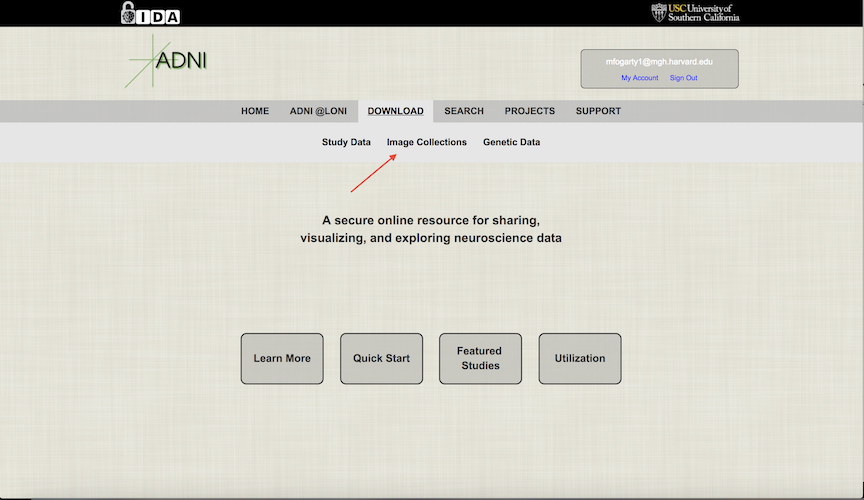
Once you are logged into the website, on the top bar select Download -> Image Collections.
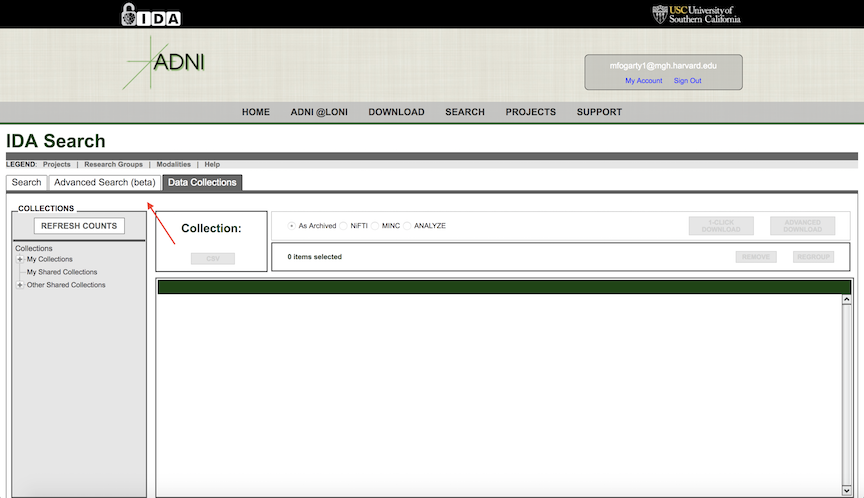
- Once on the Image Collections page, select Advanced Search. This will bring you to the location where you can select parameters for the data you wish to download.